
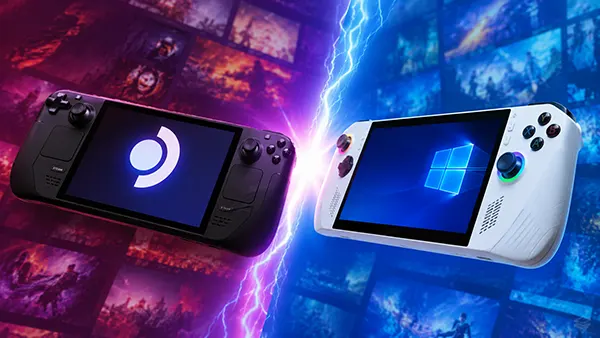
Handheld PC in 2026: SteamOS vs Windows for Portable Gaming
Portable gaming PCs have changed significantly over the past few years. Devices such as the Steam Deck OLED, ASUS ROG Ally X, Lenovo Legion Go and MSI Claw now compete not only on raw specifications, but also on battery efficiency, software optimisation and gaming comfort outside the desk environment. In 2026, the operating system has become one of the main factors affecting daily use. Some handheld PCs focus on SteamOS and its console-style simplicity, while others rely on Windows for wider compatibility and flexibility. Choosing between them is no longer just about preference. It directly affects frame rates, battery life, docked gaming and how smoothly players can launch their game libraries.
How SteamOS and Windows Handle Portable Gaming Performance
SteamOS has become more mature since Valve expanded support for additional handheld hardware in late 2025. The operating system now offers better shader caching, lower system overhead and faster sleep-resume behaviour compared to Windows 11. On devices with AMD Ryzen Z1 Extreme or newer Ryzen AI chips, SteamOS often delivers more stable frame pacing in games running through Proton. Titles such as Elden Ring, Cyberpunk 2077 and Baldur’s Gate 3 generally consume less background memory under SteamOS, leaving more resources available for gaming.
Windows still holds an advantage in native compatibility with anti-cheat systems, launchers and subscription services. Xbox Game Pass remains easier to use under Windows, especially for cloud synchronisation and multiplayer titles with kernel-level anti-cheat protection. Competitive games including Call of Duty: Warzone, EA Sports FC and Rainbow Six Siege continue to run more reliably on Windows handhelds without additional tweaks or compatibility layers.
Performance differences are often smaller than many players expect. In 2026, the biggest improvements come from driver optimisation rather than pure operating system design. ASUS and Lenovo both improved their handheld management software, reducing unnecessary CPU load during gameplay. However, SteamOS still tends to provide a smoother experience at lower wattage settings, particularly between 10W and 15W, which matters during travel or commuting.
Frame Rates, Thermal Control and Power Efficiency
Thermal behaviour has become one of the strongest arguments in favour of SteamOS. Valve’s power management tools allow players to adjust frame-rate caps, GPU clocks and refresh rates quickly from a built-in overlay. This makes it easier to balance battery consumption without installing third-party software. On devices like the Legion Go S running SteamOS, temperatures under load are often lower than on equivalent Windows configurations using identical hardware.
Windows handhelds can still produce excellent performance when connected to external power. The ROG Ally X, for example, performs noticeably better in Turbo mode while docked, especially in demanding AAA games running at 1080p. The operating system also supports a wider range of graphics utilities, modding tools and peripheral drivers. For players who regularly connect external GPUs or ultrawide monitors, Windows remains the more flexible option.
Battery efficiency continues to favour SteamOS in many real-world scenarios. During indie gaming sessions or emulation, handheld PCs running SteamOS often gain between 30 and 60 additional minutes compared to Windows devices with similar battery capacity. Background Windows services, update processes and telemetry still consume additional power even after optimisation improvements introduced in Windows 11 25H2.
Game Compatibility and Software Ecosystems in 2026
Game compatibility is no longer the major weakness it once was for Linux-based gaming systems. Proton compatibility has improved substantially, and thousands of games now launch automatically without manual fixes. Valve’s verification programme expanded during 2025, making it easier for players to identify titles that support controller layouts, readable interfaces and stable handheld performance.
Despite these improvements, Windows still offers broader software support overall. Many multiplayer games continue to prioritise Windows-based anti-cheat implementations. In addition, applications such as Adobe Creative Cloud, advanced streaming utilities and some mod managers still work better on Microsoft’s operating system. Players using their handheld PC as a hybrid work-and-gaming machine may therefore prefer Windows for convenience.
SteamOS focuses heavily on accessibility and simplicity. Its interface behaves more like a console than a traditional desktop computer. Large menus, controller-friendly navigation and instant suspend functionality make the experience easier for players who want fast access to games without system maintenance. This is particularly important for casual users who do not want to troubleshoot drivers, launcher conflicts or operating system updates.
Launchers, Mods and Online Services
Launcher fragmentation remains one of the biggest frustrations in portable PC gaming. SteamOS supports launchers such as Epic Games Store, GOG Galaxy and Ubisoft Connect through compatibility layers, but setup can still require additional steps. Windows handles these applications more naturally because they were originally designed for Microsoft’s ecosystem.
Modding support also varies depending on the game. Steam Workshop integration works smoothly on both operating systems, but complex modding tools for games like Skyrim, Fallout 4 or Grand Theft Auto V remain easier to configure on Windows. File directory access, script extenders and external utilities generally require less manual intervention there.
Cloud gaming and streaming have become more relevant in 2026 due to improvements in Wi-Fi 7 and portable internet speeds. Xbox Cloud Gaming, GeForce NOW and Steam Remote Play all function well on modern handhelds. However, SteamOS now includes deeper integration for remote streaming sessions, reducing latency during suspend-and-resume transitions. This feature is especially useful for players switching between desktop and handheld devices during the same gaming session.
Docked Gaming, User Interface and Everyday Practicality
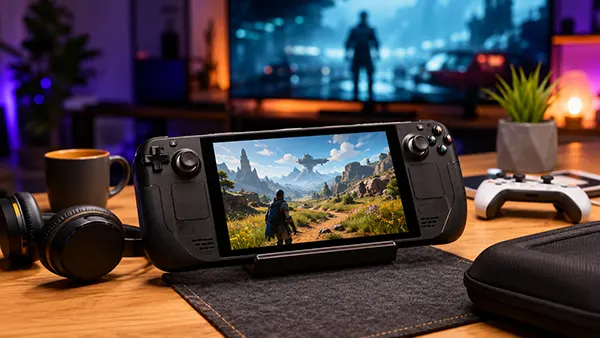
Docked gaming has become a standard expectation for handheld PCs rather than a secondary feature. Most modern devices support USB4, DisplayPort over USB-C and high-refresh-rate external displays. Windows handhelds still provide a stronger desktop replacement experience because of broader monitor compatibility, productivity software support and easier multitasking with keyboard and mouse peripherals.
SteamOS, however, delivers a cleaner living-room gaming experience. The interface feels more consistent on televisions, particularly when navigating with a controller from a distance. Valve also improved HDR handling and scaling support in 2026, making docked SteamOS gameplay more polished than earlier versions. Switching between handheld and TV mode now takes only a few seconds on supported hardware.
Storage management and updates also affect daily usability. Windows installations continue to consume more storage space due to system recovery partitions and larger update files. SteamOS generally leaves more free storage available for games on devices with 512GB or 1TB SSDs. This difference matters because modern AAA releases regularly exceed 100GB in size.
Which Operating System Makes More Sense in 2026?
SteamOS is currently the stronger choice for players who mainly want a console-like portable gaming experience. It offers better battery efficiency, smoother low-power gaming and a simpler interface for handheld use. Devices focused on SteamOS are also easier to maintain because fewer background processes interfere with gameplay.
Windows remains the better option for players who require maximum compatibility. Game Pass support, anti-cheat functionality, modding tools and productivity applications still favour Microsoft’s ecosystem. Handheld PCs that double as travel computers or workstation replacements benefit more from Windows than from a gaming-focused operating system.
The decision ultimately depends on usage habits rather than benchmarks alone. Players focused on quick gaming sessions, suspend-resume convenience and efficient battery usage may prefer SteamOS. Those who want unrestricted launcher access, competitive multiplayer support and desktop-level flexibility are likely to remain with Windows. In 2026, both operating systems are capable enough to power modern handheld PCs effectively, but they prioritise different types of users.
Popular articles
-
 Star Wars Zero Company: How XCOM-Style Tac...
Star Wars Zero Company takes a very …
-
 OCuLink vs Thunderbolt 5: Which Interface ...
External graphics have become far more relevant …
-
 PRAGMATA: How Shooting and Hacking Reshape...
Released on 17 April 2026, PRAGMATA places …